
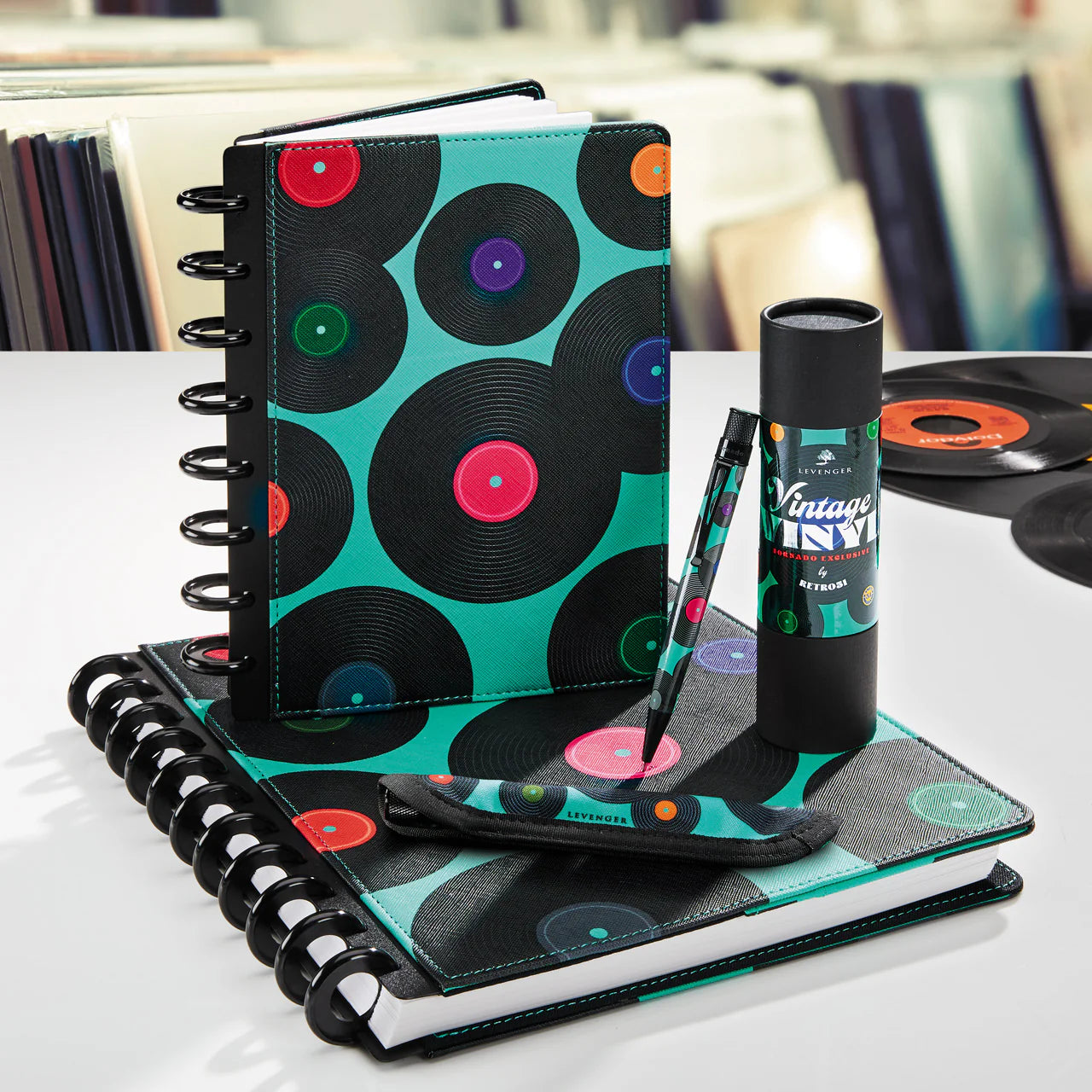
The Levenger Circa system is modular by design—ideal for professionals and lifelong learners who want tools that reflect their work and their taste. From debossed monograms on leather to UV‑printed translucent covers and color‑coordinated discs, this guide shows smart ways to create a setup that’s unmistakably yours, whether you’re presenting uptown in New York or heading to client sessions in the Bay Area.
Fast Ways to Make It Yours
- Add a monogram or name to eligible leather, pens, folios, and select accessories for a timeless, professional touch.
- Print on translucent covers to showcase initials, a project title, or team ID in color.
- Swap discs to change capacity, page feel, and palette without rebuilding your notes.
- Layer clear or translucent covers over a title sheet for subtle or bold color effects.
- Choose functional accents—zip pockets, tabs, and refills—that quietly express how you work.
If you’re new to modular notebooks, start with Start Here: Build Your First Circa in 10 Minutes for sizes, discs, covers, and paper basics.
Monograms and Printed Personalization: What to Know
Levenger offers monogramming and custom text on many items. Initials appear in same‑size order (first/middle/last); full names can be up to a defined character limit with specific punctuation allowed; most leather items are personalized at the lower right. Personalized items are final sale, and delivery time may be slightly longer than standard. For current details, see Levenger’s Personalization page and FAQs. levenger.com
- Initial order: first, middle, last (e.g., EMB for Elizabeth Mary Brown).
- Full‑name limit and symbols: up to 16 characters with select punctuation; type the text exactly as you want it to appear (case‑sensitive).
- Character support: accented and special characters aren’t supported.
- Placement: most leather pieces are monogrammed at the bottom right.
- Processing & returns: personalized orders add brief processing time and are non‑returnable.
Prefer a lighter, color‑led approach? UV printing is offered on translucent Circa covers on select items; check the product page for the available color and layout options. levenger.com
For ergonomic comfort after you personalize your outer look, see Accessibility & Ergonomics.
Discs: A Signature Look with Real Impact
Circa discs influence capacity, page‑turn feel, and overall vibe. Aluminum discs tend to feel brisk and precise; translucent or opaque plastic discs create either a playful or minimalist edge. If you’re choosing among materials or sizes and want hard numbers and tradeoffs, read Discs Demystified: Plastic vs. Aluminum vs. Specialty. For size and portability implications that affect how your personalization shows, pair that with Circa Sizes Explained.
- Aluminum Circa Notebook Discs (set of 11) — Machined metal in a range of finishes — the single change that alters a notebook's look most.
- Translucent Circa Notebook Discs (set of 22) — Colour at a tenth of the price, and reversible when you tire of it.
Cover Layering: Clear, Translucent, and Color
Layering protects pages and frames your personalization.
- Showcase and protect: Use clear covers to protect leather or a custom title page while keeping it visible.
- Color wash + labeling: Choose translucent covers and add a printed project name or initials for a modern, color‑tinted first impression.
Need a build checklist once your covers are set? Maintenance & Refresh offers simple seasonal routines.
Build a Cohesive Color Story
Pick a palette and repeat it across discs, covers, and accents for a polished, intentional look:
- Elegant and formal: Deep blues, black, and subtle metals with a leather monogram. The Circa Royal Discbound Notebook Bundle is a refined way to start.
- Uplifting and creative: Florals, bright discs, and printed translucent covers. The Circa Peony Bouquet Bundle pairs cheerful color with everyday utility.
- Technical and modern: Stealth neutrals, clear covers, and crisp metal discs. The Circa L‑Tech Engineer Notebook Bundle suits diagram‑heavy notes.
Prefer a mix‑and‑match build to stretch your budget? See Build Your Own Bundle for a coordinated approach.
- Circa Peony Bouquet Bundle — A cheerful, coordinated bundle that pairs printed translucent covers and bright discs for a cohesive Peony color story.
- Color Page Nibs (set of 50) — Add pops of matching color to page edges and accents to reinforce a repeated palette across your system.
- Circa Pebbled Leather Foldover Notebook — A refined leather foldover that anchors a polished palette while accepting discs and covers for a cohesive look.
Personalized Planners and Daily Drivers
Turning a planner into your signature tool can be as simple as adding your name and consistent color language, then choosing refills that support your rhythm. The 2027 Circa smartPlanner Notebook Bundle integrates planning pages with Circa flexibility—use initials outside and habit trackers within. If you’re just getting started, compare the Circa Starter Kit for fundamentals or the Circa Simply Irresistible Kit if you want a step up in materials and finish. For planning style contrasts, see Circa smartPlanner vs. Traditional Planners and, for goal‑oriented layouts, Circa for Goal Setting.
- 2027 Circa smartPlanner Notebook Bundle — A planner-first bundle with smartPlanner pages and Circa flexibility for a personalized daily planning routine.
- Circa Discbound Notebook Starter Kit — A fundamentals kit to get started with personalization, discs, and planner basics.
- Circa Simply Irresistible Discbound Notebook Sampling Kit — An upgraded sampling kit with higher-end materials for a more finished, personalized planner build.
- Circa Daily-Weekly-Monthly Planner Refill — A weekly/daily/monthly refill to support mixed planning rhythms in a personalized planner system.
- Circa Vibrant Daily Planner Refill (366 sheets) — A year-round daily planner refill option for shoppers who prefer dated daily pages in their personalized setup.
Functional Accents That Read as Personal
- Zip pockets and belts: A matching or contrast accent pulls your palette together and adds real utility. The Smooth Leather Zip Pocket Notebook Belt adds storage for cards, cables, or tabs without bulk.
- Refills with personality: Meeting forms, annotation‑ruled, and project trackers let your working style show on the inside. For picks by task, see Paper That Performs and template ideas in Meeting Mastery.
- Team or travel builds: Standardize color and monogram rules across a department, or keep a brighter travel set for easy ID. For structure and packing, browse Circa for Teams and Circa for Travel.
Accents that earn their place
Circa Keeping Tabs Discbound Sticky Notes (set of 2) — the accents that read as personal are the ones you use daily, not the ones chosen for the shelf.
- Smooth Leather Zip-Pocket Notebook Belt — A slim leather belt with zip pocket that adds discreet storage for cards and small gear while matching your cover.
- Circa Keeping Tabs Discbound Sticky Notes (set of 2) — Sticky notes designed for Circa binders that add quick, colorful annotation without changing your cover aesthetic.
- Emerson Leather Utility Pouch — A leather utility pouch that keeps cables, cards, and small tools organized while matching leather accessories.
- Mini Leather Tech Case — A compact case for chargers and earbuds that tucks into folios and travel sets for tidy portability.
- Translucent Circa Notebook Discs (set of 22) — Discs in translucent finishes that coordinate with covers and accents while adding a subtle, modern touch.
Which Personalization Path Fits You?
Use this compact matrix to compare the main approaches.
| Option | Best For | Visible at a Glance | Reversible Later | Cost & Time Considerations |
|---|---|---|---|---|
| Leather monogram or name | Gifting, professional settings, long‑term use | Subtle; up close | Permanent on the item | Adds processing time; final sale |
| UV print on translucent cover | Project titles, color‑coded systems, teams | High—front cover | Swap covers anytime | Adds processing time; final sale |
| Disc swap (material/color/size) | Capacity changes and a new visual identity | Moderate—spine/edge | Instantly reversible | Component cost only; standard shipping |
| Clear/translucent cover layering | Show a monogram or title sheet; add color wash | High with clear; moderate with translucent | Instantly reversible | Low cost; standard shipping |
| Accent accessories (pockets, tabs) | Daily function plus coordinated color | Low to moderate | Instantly reversible | Low cost; standard shipping |
How to Order Personalization on Levenger
- Open the product page and choose color/size. If eligible, a “Choose personalization” menu appears.
- Type your initials or name exactly as you want it to appear (case‑sensitive). For initials, use first/middle/last format.
- Check character limits and preview (if provided), then confirm. Personalized items are final sale.
- Allow extra processing time before shipping. Delivery speed varies by item; check each product page for specifics.
These steps follow Levenger’s current personalization guidelines and FAQs; review them before completing your order. levenger.com
Rebuilding your setup seasonally after a project wraps? See Maintenance & Refresh: Archiving, Rebuilding, and Seasonal Planner Swaps for a quick cadence.
Smart Picks to Personalize (By Use Case)
- Everyday note‑taking: Start with essentials and add your name or initials: Circa Starter Kit.
- Step‑up build: When materials and presentation matter for gifting, try the Circa Simply Irresistible Kit.
- Planner‑first workflow: Personalize the cover and use calendar inserts in the 2027 Circa smartPlanner Notebook Bundle.
- Color‑led aesthetics: Choose a cohesive bundle like Circa Royal or Circa Peony Bouquet, then add a printed translucent cover with your title or initials.
- Tech‑minded builds: For gridded notes and a modern palette, see the Circa L‑Tech Engineer Notebook Bundle.
- Show‑and‑protect layers: Add clear covers or a translucent set to spotlight a monogram or project title.
- Mobile storage and color accents: Finish with the Smooth Leather Zip Pocket Notebook Belt to coordinate color and keep essentials close.
For department standards (fonts, color rules, tab schemes), see Circa for Teams.
- Circa smartPlanner Executive Agenda Bundle — An executive smartPlanner bundle built for planning-first workflows that’s gift-ready and personalization-friendly.
- Bomber Jacket Softolio 2.0 — A polished softfolio ideal as a step-up gift with refined materials and presentation.
- Gift Wrapping — Add professional finishing and presentation to any personalized kit for gifting or polished delivery.
- Circa Midway Annotation Notebook — A compact annotated notebook well suited for everyday note‑taking and personalized cover options.
- Essential Card Wallet — A slim card wallet that pairs as a small, giftable accent to personalized planner and folio builds.
Budget, Value, and Timing
- Choose where to invest: A debossed leather cover is a long‑horizon upgrade; printed translucent covers and disc swaps are lower‑cost ways to signal a new role, project, or season.
- Leverage bundles: Coordinated bundles reduce decision‑time and are often more cost‑effective than piece‑by‑piece builds, especially if you’re starting fresh for a new job or academic term.
- Watch for seasonal offers: Levenger frequently runs promotions and featured deals—helpful when equipping a team or standardizing multiple builds.
- Plan for lead time: Personalized items add brief processing time before shipping; check product pages if you’re targeting a date like August move‑in or a December gift exchange. levenger.com
If you already own a solid core setup and want a capacity jump plus coordinated color, consider a high‑value upgrade path like the Super Circa Bundle, then personalize the outer layer to match your workflow.
Frequently Asked Questions
What’s the correct order for initials in a Levenger monogram?
Use same‑size initials in first/middle/last order (e.g., EMB). Type them exactly as you want them to appear. levenger.com
Can I include accents or special characters?
No—accented letters and special characters aren’t supported. If a character isn’t listed or previewed on the product page, it isn’t available. levenger.com
How do I know if an item can be monogrammed?
On eligible products, a “Choose personalization” option appears after you select color and size. If you don’t see it, the item isn’t customizable. levenger.com
Are personalized items returnable, and will shipping take longer?
Personalized items are final sale and typically add brief processing time before shipping; delivery windows vary by item, so check the product page before ordering. levenger.com
Next Steps
Pick the path that fits your priorities. If you want the crispest hand‑feel and capacity control, start with discs and size using Circa Sizes Explained. If presentation matters most, choose a leather cover you’ll keep for years and add a subtle monogram. For color‑coded teams or projects, opt for a translucent cover with UV printing and a coordinated disc palette, then review Discs Demystified to finalize material and capacity.


