


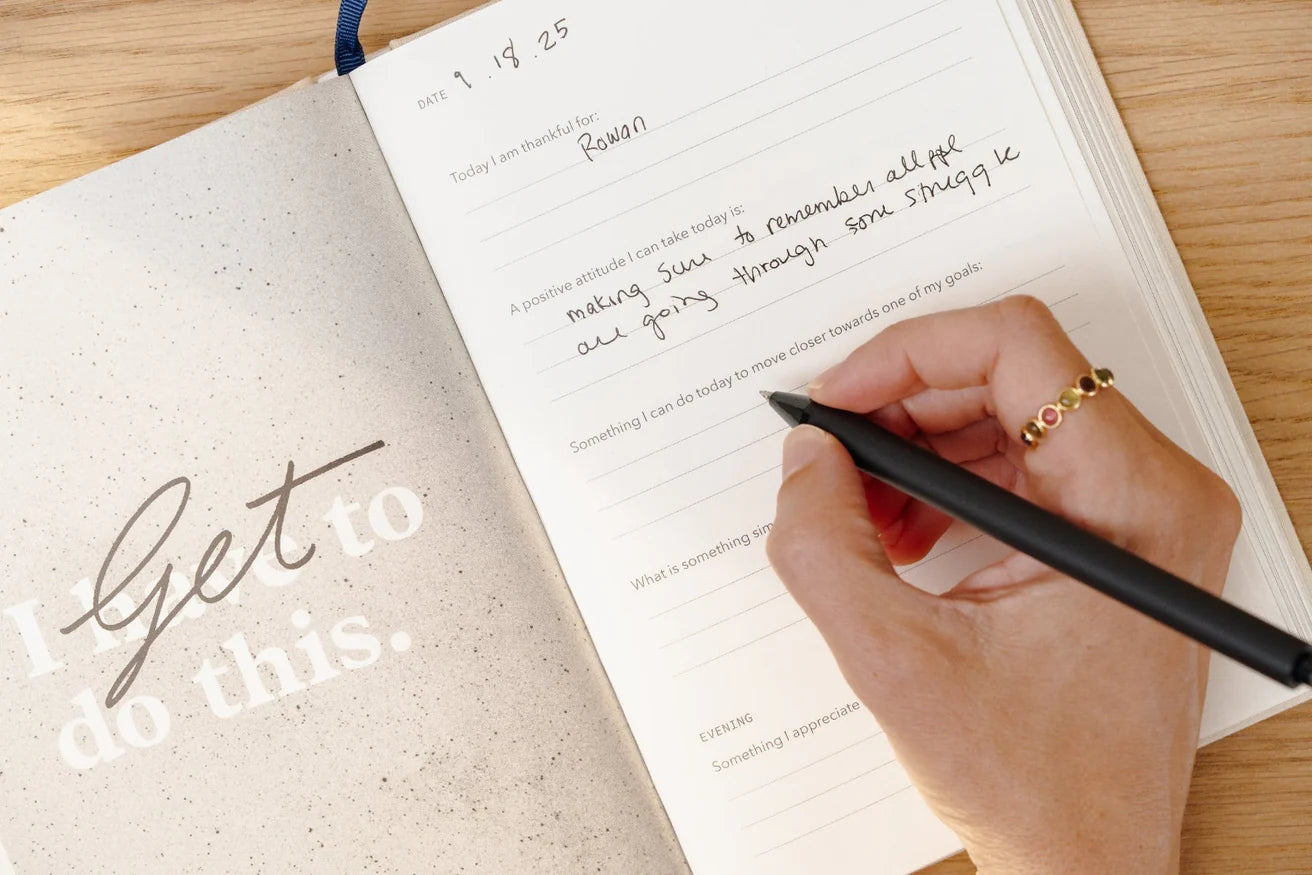
When your days span multiple roles—professional, personal, teaching, family—the right paper planner removes friction by giving each role its own place to live. The goal is simple: see conflicts at a glance, execute with focus, and archive cleanly. Start by mapping your week into blocks (work, personal, classes, family), then choose layouts, sizes, and sections that keep those blocks separate yet coordinated.
Below are three proven configurations—work/personal, teaching, and family—each with clear specifications (sizes in inches/mm, paper in gsm, and disc capacities in sheets) and shopping-ready product lists. If you want to understand the full modular ecosystem behind these builds, explore The Complete Circa Productivity System and then return here to finalize your setup.
First, a quick fit guide (buy once, use often)
- Choose your size by writing real estate: Junior (5.5 x 8.5 in / 140 x 216 mm) is compact for daily carry; Midway (7 x 9.25 in / 178 x 235 mm) balances portability and space; Letter (8.5 x 11 in / 216 x 279 mm) gives a full desk canvas for project notes, lesson plans, or multi-person schedules.
- Paper weight for fountain-pen friendliness: Levenger planner refills are printed on smooth, substantial paper—commonly 120 gsm for refills and around 100–120 gsm for pads—to resist feathering and show-through.
- Disc capacity for what you actually carry: 3/4" discs hold about 100 sheets; 1" ≈ 120 sheets; 1 1/2" ≈ 185 sheets. Commuters and left-handed writers often prefer slimmer discs for easy page turns; desk-based planners can scale up for quarterly or annual views.
- Price awareness (so you can plan smart): Popular refills begin around $13.65 USD, start-anytime and agenda refills range into the $30–$60 USD band, and weekly desk/tear-off pads are typically in the approachable range for a shared household hub. Levenger is premium but cost‑effective over time because you refill rather than rebuy whole planners—and there are frequent promotions.
- Rewards that multiply value: Join Levenger Rewards before you add to cart; points convert to dollars off a future order. On multi-item builds, rewards and seasonal offers can meaningfully trim your total.
With the basics set, decide whether you want a single agenda with firm dividers or separate books for distinct roles. Choose the option that reduces the most friction for you.
Scenario 1: Work vs. Personal—two clean approaches
Approach A: Two planners (one for work, one for life)
If switching mental contexts is hard—or if you keep work notes private—carry two separate planners. Keep the work book in Junior (5.5 x 8.5 in) for meetings and daily triage, and the personal book in Midway (7 x 9.25 in) or Letter (8.5 x 11 in) for goals, fitness, and household logistics. Use different disc colors to avoid mix-ups. Daily pages stay tactical; weekly overviews protect time.
Approach B: One agenda with hard dividers
If you prefer one object in hand, build a single planner with clear section boundaries—Work, Personal, Projects, Archive. Tabbed monthly dividers make context-switching fast; a week view consolidates commitments while daily pages hold granular tasks. Archive monthly to keep the book light and the mind clear.
Weekly overview + daily execution (fast-moving professionals)
Set your rhythm with a compact work book for rapid capture and a personal book that protects evenings and weekends. The selections below keep your weekly horizon visible while your daily pages do the heavy lifting.
- Structured Monday–Friday cadence in a carry size: Circa Workweek Planner Refill—a disciplined spread designed for business rhythms, ideal in Junior for meetings and sprint planning.
- Pocketable task pages that slot anywhere: Circa smartPlanner To‑Do Pad (Jr.)—tear-off lists you can stage at the start of a workday and archive when done.
Flexible personal weekly (open boxes, open evenings)
Choose a freer weekly canvas for the rest of life—fitness, meal planning, reading, errands—without sacrificing premium paper. Keep this book distinct from work to protect restorative time.
- Open weekly boxes with room to breathe: Circa Weekly Freeform Planner Refill—clean, undated weeks with space to sketch a routine or track habits on the backs.
- Monthly focus when goals guide your week: Circa Start‑Anytime Multi‑Focus smartPlanner Refill—a start-anytime structure with monthly goals and notes pages that keep life categories distinct.
One‑book alternative: multi‑focus weekly + monthly
Prefer one planner? Set strong boundaries with labeled tabs (Work, Personal) and choose a layout that keeps the month view accessible while you run the week.
- Start-anytime flexibility with section clarity: Circa Start‑Anytime Multi‑Focus smartPlanner Refill—combine monthly checkpoints with weekly execution in a single, clearly tabbed book.
- Task capture without adding bulk: Circa Modern smartPlanner To Do Refill—slim inserts for running lists that travel between sections as projects evolve.
Lightweight to‑do capture (applies to both approaches)
Keep task capture effortless; the more frictive the list, the less it gets used. Pair a weekly view with small-format lists you can place where you actually decide.
- Refill once and keep moving: Circa Modern smartPlanner To Do Refill—portable list pages for errands, packing, or daily priorities.
- Grab-and-go list sheets for time-sensitive days: Circa smartPlanner To‑Do Pad (Jr.)—a tidy notepad form that slips beside a keyboard or into a small bag.
If you blend paper with digital calendars or task apps, keep commitments visible online and do your daily prioritization on paper. For a simple capture-and-sync routine, see How to Use a Paper Planner Alongside Digital Apps.
Scenario 2: Teaching—term structure that stands up to the school year
Most U.S. K–12 and university schedules run August–June with shifting rosters, labs, and checkpoints. That cadence favors Letter size (8.5 x 11 in) for seating plans and grading grids, durable paper for constant page turns, and a layout that shows month → week → day without re-copying.
- Map the term before the first bell: Use monthly pages to place unit launches, labs, guest speakers, and testing windows; then feed those checkpoints from weekly tasks.
- Protect your rosters and notes: Smooth, substantial paper resists heavy editing and frequent page turns, keeping informal observations and accommodations legible.
- Capacity you won’t fight: A 1 1/2" disc (≈185 sheets) comfortably carries a semester’s plan plus reference pages; archive last term to a storage set and roll forward.
Term‑ready teacher agenda (Letter for clarity)
Select an undated layout you can tailor to bell schedules and campus rhythms, then add a visible weekly calendar for your room or office door.
- Daily detail plus weekly and monthly overviews: Circa Daily‑Weekly‑Monthly Planner Refill—undated flexibility for lecture notes and office-hour tasks without rewriting the whole term.
- At‑a‑glance weekly board or desk view: Weekly Margin Calendar—a clean, legible spread you can post to reduce “What’s due?” interruptions.
Budget note: Levenger’s paper is premium and durable—and worth it when you turn pages hundreds of times per term—but also cost‑effective across a year because you replace inserts, not hardware. Watch for seasonal deals and stack Levenger Rewards to reduce your per‑semester cost.
Scenario 3: Family—one week, many lives
Families benefit from a week view that shows everyone at once, a shared place for groceries and chores, and a portable agenda for the primary scheduler. Use color-coding (one shade per person), keep the calendar where decisions happen (kitchen counter or entry table), and mirror key events into a carry planner so you never double-book.
- One shared weekly horizon: Horizontal or freeform weekly pages make it easy to give each person a row or column (parents, kids, caregiver, carpool) while preserving a family-wide view.
- One running list saves time: Maintain a single household list for groceries, errands, and weekend prep so you capture once and delegate quickly.
- Carry the essentials: A slim weekly in your bag keeps appointments top-of-mind while you’re away from the fridge.
Home hub + carry planner (keep the kitchen in sync with your pocket)
Establish a central command center at home and a portable counterpart for on‑the‑go scheduling. These choices are straightforward, durable, and easy to adopt.
- Visible shared week for the counter or corkboard: Weekly Scheduler Freeleaf Pad (set of 2)—tear-off weeks with ample notes space that the whole household can see and use.
- Simple weekly you can start any time: Start‑Anytime Circa Weekly Scheduler (100)—a portable, undated weekly spread that protects sports, music lessons, and pickups while you’re out.
- Monthly check‑ins for money and logistics: Daily‑Weekly‑Monthly Planner Pad Trio—use the Monthly sheet to mark paydays, recurring bills, subscription renewals, and school closures.
How to choose between one agenda vs. two
- You’re a two‑planner person if you work in a security‑sensitive role, switch contexts frequently, or get decision fatigue from mixed pages. One work planner stays reference‑ready; one personal planner stays reflective and restorative.
- You’re a one‑planner person if you’re a minimalist, travel light, or need a single canonical calendar. Choose sturdy monthly tabs and consistent color‑coding to keep the boundaries between roles unmistakable.
Either way, modularity means you evolve without starting over—swap layouts, change disc sizes, archive completed months, and keep the cover you love. For a deeper walkthrough of modular building blocks and mobility tips, see The Complete Circa Productivity System.
Spec check: paper, sizes, discs
- Paper: Levenger planner refills and agendas commonly use smooth, substantial 120 gsm paper; many pads and specialty refills use 100–120 gsm. Both weights are acid‑free and stand up to everyday pens. If you write with wet fountain pens, prefer 120 gsm for drier backs.
- Common planner sizes: Junior 5.5 x 8.5 in (140 x 216 mm); Midway 7 x 9.25 in (178 x 235 mm); Letter 8.5 x 11 in (216 x 279 mm). Choose the smallest size that still keeps your handwriting comfortable and visible at arm’s length.
- Disc capacity (approximate active sheets): 3/4" ≈ 100; 1" ≈ 120; 1 1/2" ≈ 185. Larger discs excel for Letter planners that double as binders; smaller discs suit mobility and left‑handed page turns.
Money‑smart ways to build your setup
Levenger is known for craftsmanship and longevity—often more premium up front and more cost‑effective over time because you refill paper instead of rebuying planners. It is also refreshingly pragmatic on value: there are frequent promotions, and Levenger Rewards convert into real dollars off future orders. Use these strategies to build intelligently.
Spend by tiers (with exact examples)
When budgets are real—and they always are—start with refills that do the most work for the least spend, then scale to more specialized layouts.
- Under $20 USD: Smart list-building begins with inserts. Circa Modern smartPlanner To Do Refill (25 sheets) typically sits in this band ($12.50–$16.50 USD), and the Circa Weekly Freeform Planner Refill is an approachable weekly option at $13.65 USD. These are low‑risk, high‑impact upgrades to any book.
- $30–$60 USD: Start‑anytime and agenda refills bring more structure—think monthly checkpoints paired with weekly execution—without replacing your cover or discs. This is often the sweet spot for a single‑book system with real planning power.
- $60+ USD: If your role demands heavy daily pages (project sprints, client notes, lectures), investing in comprehensive undated refills can reduce rewriting and streamline archiving, especially in Letter size.
Bundle thoughtfully to save
When you’re assembling covers, discs, and refills, look for natural bundles: one planner for work, one for personal; or a Letter teacher planner plus a Junior carry notebook. Rewards points on multi‑item checkouts compound the savings. For ideas on optimizing a modular kit without sacrificing fit, see Build Your Own Bundle: How to Maximize Savings.
Refill vs. rebuy (and why modular wins)
With Circa, you reuse the cover and discs for years. You swap only the paper you finish, which is why the system stays cost‑effective. If you later add a monogrammed leather cover or folio, allow a short personalization lead time so it arrives just the way you want it—then keep refilling season after season.
Digital plus analog: get the best of both
Use your phone to hold shared calendars and alerts; keep your priorities and notes on paper. This split protects deep work and reduces screen fatigue. For a simple routine that plays nicely with scanning and cloud notes when you need them, see How to Use a Paper Planner Alongside Digital Apps.
Ready-to-order configurations (by role)
Each configuration below respects boundaries between roles, gives you just enough structure, and is easy to maintain over time.
Work: weekly horizon + daily clarity
Hold your tactical day on paper while protecting time at the weekly level. Keep work pages self-contained so you can hand your personal life a buffer.
- Business-week structure that keeps meetings in check: Circa Workweek Planner Refill—a professional cadence for Monday–Friday with room for tasks and notes.
- Micro-plans you can complete between meetings: Circa Modern smartPlanner To Do Refill—fast capture for next actions and delegated tasks.
Personal: goals, routines, and breathing room
Create a weekly haven for movement, meals, reading, and goals. Keep it distinct from work so recovery and reflection stay protected.
- Undated weeks you can adapt season by season: Circa Weekly Freeform Planner Refill—open boxes for flexible planning and habit tracking.
- Monthly goals that steer your week: Circa Start‑Anytime Multi‑Focus smartPlanner Refill—a monthly-to-weekly flow that keeps intentions visible.
Teaching: plan the term, teach the day
Choose a layout that holds daily lessons, weekly checkpoints, and monthly arcs without re‑copying. Letter size makes rosters and seating plans painless.
- Daily, weekly, and monthly in one: Circa Daily‑Weekly‑Monthly Planner Refill—undated pages you can tailor to bell schedules and unit pacing.
- Post the week where students will see it: Weekly Margin Calendar—a clean, shared schedule that answers routine questions at a glance.
Family: central hub plus carry copy
Anchor the home with a visible week and mirror essentials into a small planner you carry. This prevents double‑booking and makes delegating easier.
- Kitchen command center for the whole household: Weekly Scheduler Freeleaf Pad (set of 2)—tear-off weeks with room for chores, meals, and notes.
- On‑the‑go weekly that starts any month: Start‑Anytime Circa Weekly Scheduler (100)—portable weekly pages that keep school pickups and practices front and center.
Practice that makes separation effortless
- Color‑code by role: One pen color per role (or per family member) turns any spread into a heat map at a glance.
- Batch the admin load: Reserve a 20‑minute block each Friday to move unfinished tasks, stage next week’s priorities, and archive pages you’re done with.
- Create a parking lot: Keep a running notes page at the front of each section for ideas not ready to schedule; review during your weekly reset.
- Archive without fear: Move completed months or finished classes to an archive set. Knowing you can retrieve the record makes carrying less feel safe.
FAQ
Is a daily or weekly layout better for separating work and personal?
Daily pages shine for task‑heavy roles and meeting notes; weekly spreads reveal conflicts across roles. Many professionals carry both: the week to protect time, the day to execute.
Which size is best if I commute on public transit?
Junior (5.5 x 8.5 in) is ideal for tight spaces. If you need more room, Midway (7 x 9.25 in) balances capacity with portability. Letter (8.5 x 11 in) excels at the desk.
How do I keep personal goals from getting crowded by work?
Use separate sections or separate books. In a single‑book setup, give Personal its own tab and park it after Monthly pages so you see goals when you plan your week.
How do I avoid copying the same dates across pages?
Use monthly pages for checkpoints (deadlines, launches, closures), then place only the actions that feed those checkpoints on your weekly or daily pages.
What’s the simplest family setup?
A shared weekly pad in the kitchen plus a portable weekly you carry. Color‑code by person and reserve one list for groceries and errands.
Can I combine paper with my phone calendar?
Yes. Keep shared events digital and do daily prioritization on paper. Many readers scan finished pages for reference; see How to Use a Paper Planner Alongside Digital Apps for easy workflows.
How do I save money when building a two‑planner system?
Start with refills and discs you’ll reuse for years; add specialized refills as needs emerge. Levenger often features promotions, and Rewards points convert to dollars off. Under‑$20 USD inserts like the To Do Refill and Weekly Freeform Refill deliver outsized value.
Make your next week easier (CTA)
Select the configuration that matches your life today—then evolve it as roles change. Levenger’s modular system is refined, durable, and remarkably cost‑effective over time, with frequent deals that make upgrading easy. Build yours now, and let each role have the space it deserves.


